Symptoms
Connection to the wireless hub is not possible (USB-C direct connection).
Solutions
1. Make sure Windows is up to date.
2. Install the latest chipset (motherboard) drivers.
3. Uninstall the Medit Link application and reinstall it.
4. Change the USB C port on your computer.
5. Make sure the wireless hub is turned on (The blue light gets illuminated).
6. Experiment with different accessories (such as the power delivery cable C to C).
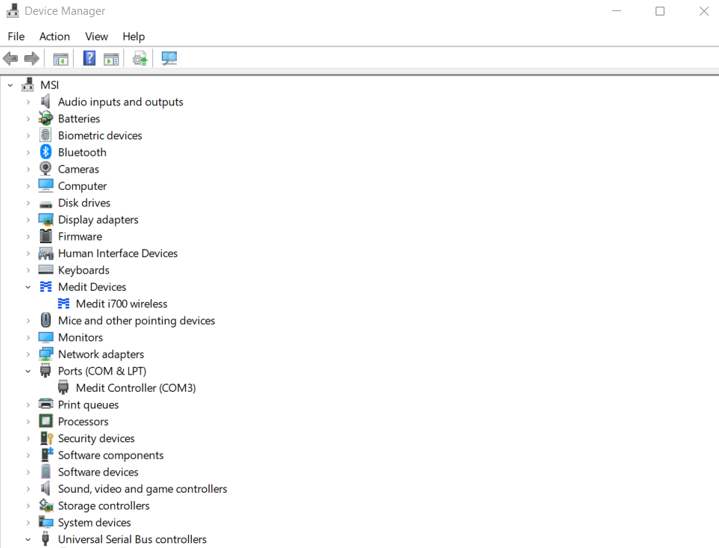
7. Check the Device Manager to see if the Medit Devices and Medit Controller are listed.
8. Double-check that the power delivery cable and power adapter are properly connected to the wireless hub, as shown in the image below.
① Connect the wireless hub to the power delivery cable.

② Connect the power supply cable to the computer.
Comments
0 comments
Please sign in to leave a comment.